Uncover the Hidden Truth of LFCS Certification Difficulty
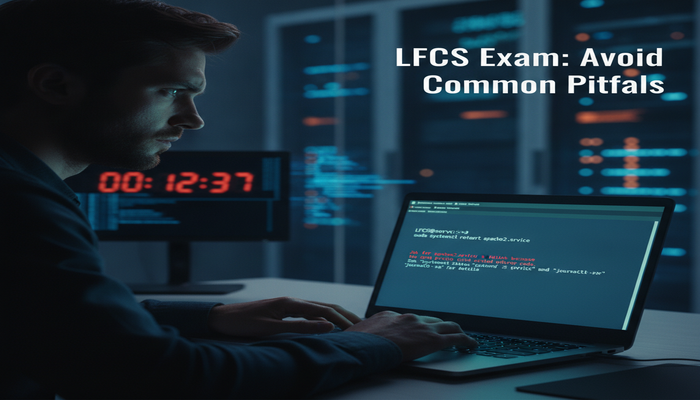
Are you considering the Linux Foundation Certified System Administrator (LFCS) certification but are unsure about its difficulty? You're not alone. Many aspiring system administrators grapple with this question, seeking a clear picture of what it takes to earn this highly respected credential. The truth about the LFCS isn't found in rote memorization or complex theories; it lies in practical application and hands-on proficiency. This article will peel back the layers, revealing the realistic challenges and rewarding aspects of tackling the Linux Foundation LFCS certification. We'll explore the exam's structure, delve into its syllabus, and equip you with the insights needed to approach your preparation with confidence and clarity. Get ready to uncover the real story behind the LFCS's learning curve.
What is the Linux Foundation LFCS Certification?
In today's technology-driven world, Linux is the backbone of countless servers, cloud platforms, and embedded systems. Its pervasive nature makes skilled Linux professionals indispensable across almost every industry. The Linux Foundation, a non-profit technology consortium, stands at the forefront of fostering Linux growth and development. To address the critical demand for qualified administrators, they offer certifications like the Linux Foundation Certified System Administrator (LFCS).
The LFCS certification is designed to validate the foundational skills of system administrators working in a Linux environment. It's not merely a test of theoretical knowledge but a rigorous, performance-based examination that assesses a candidate's ability to perform real-world tasks on a live Linux system. This emphasis on practical competence is precisely what gives the LFCS its significant value in the job market.
For individuals looking to launch or advance their careers in system administration, earning the Linux Foundation LFCS certification signals to employers that you possess the practical expertise to manage and troubleshoot Linux systems effectively. It's a stepping stone into more advanced roles and certifications, building a robust foundation for a successful career in open-source technologies.
The "Hidden Truth" of LFCS Difficulty: A Realistic Perspective
When people ask about the difficulty of the Linux Foundation LFCS certification, they often expect a simple "hard" or "easy" answer. The reality, however, is more nuanced. The LFCS isn't difficult in the sense that it requires mastering obscure algorithms or understanding highly abstract concepts. Its difficulty stems from its entirely practical nature. This exam demands that you don't just know *about* Linux commands and utilities, but that you can *use* them proficiently and efficiently to solve problems under pressure.
Unlike many other certifications that rely on multiple-choice questions, the LFCS is a performance-based exam. You'll be presented with a series of tasks on a command-line interface, and you must execute the correct commands and configurations to achieve the desired outcome. This means there's no guessing involved; you either know how to do it, or you don't. This format can be a significant hurdle for those accustomed to theoretical exams, as it requires a different kind of preparation and problem-solving mindset.
Another aspect contributing to its perceived difficulty is time management. With a limited duration of 120 minutes to complete 17-20 tasks, efficiency is paramount. You can't afford to get stuck on a single problem for too long. This often means being adept at using man pages, knowing how to quickly find information, and having a systematic approach to troubleshooting. If you're seeking additional resources to gauge your readiness, exploring Linux Foundation LFCS sample questions and exam format insights can provide valuable perspective.
The "hidden truth" is that the LFCS is difficult if you lack hands-on experience and familiarity with the Linux command line. It's relatively straightforward if you live and breathe Linux, regularly working with its various components and commands. The key differentiator is practical application.
Understanding the Practical Demands
The Linux Foundation Certified System Administrator exam evaluates your ability to handle common administrative tasks. This includes user management, file permissions, network configuration, service management, and disk partitioning. These aren't just concepts to be understood; they are actions to be performed. The exam environment is a live Linux distribution (often CentOS or Ubuntu), and your solutions must work correctly.
Consider a task that requires you to set up a web server. This isn't about choosing the correct answer from a list; it's about installing the web server package, configuring its service, opening firewall ports, and ensuring it starts on boot. Each step needs to be performed accurately, and any error will prevent you from passing that particular objective.
The Role of Troubleshooting
A significant part of a system administrator's job involves troubleshooting. The LFCS exam implicitly tests this skill. While tasks are typically well-defined, unforeseen issues can arise, or you might make a mistake. Your ability to identify the problem, consult documentation, and rectify it within the time limit is crucial. This is where many candidates falter, highlighting the importance of not just knowing how to do things, but also knowing how to fix things when they go wrong.
In essence, the difficulty of the Linux Foundation LFCS certification is proportional to your prior hands-on experience and your willingness to dive deep into practical exercises. It's a fair test of real-world skills, making it both challenging and immensely rewarding.
Deep Dive into the LFCS Exam Syllabus and Objectives
To truly understand the difficulty of the Linux Foundation LFCS certification, we must dissect its syllabus. The exam objectives are carefully structured to cover the core competencies expected of a system administrator. Each section carries a specific weight, indicating its importance and the likely number of questions you'll encounter from that domain. The current Linux Foundation Certified System Administrator exam objectives are broken down into five key areas:
Operations Deployment - 25%
This section is one of the heaviest weighted, reflecting the critical nature of deploying, managing, and maintaining operational systems. It focuses on the fundamental administrative tasks that keep a Linux server running smoothly.
- System Initialization: Understanding the boot process, managing GRUB, and configuring runlevels/targets for system startup. You'll need to know how to troubleshoot boot issues and ensure services start correctly.
- Package Management: Proficiently using package managers like
apt(Debian/Ubuntu) oryum/dnf(RHEL/CentOS) to install, update, remove, and query software packages. This includes managing repositories and resolving dependencies. - Service Management: Working with
systemdto start, stop, enable, disable, and monitor services. This is a crucial skill for ensuring applications and system daemons are running as expected. - Process Management: Monitoring and managing running processes using commands like
ps,top,htop,kill, and understanding process priorities. - Logging: Locating and analyzing system logs (e.g., syslog, journald) to diagnose issues and monitor system health.
- Scheduling Tasks: Using
cronandatto schedule jobs and commands to run automatically at specified times.
Difficulty Perspective: This section demands solid foundational knowledge. While individual commands might be simple, piecing them together for deployment and troubleshooting requires practice. Expect to perform multi-step tasks that involve various sub-topics within this domain.
Networking - 25%
Network configuration and troubleshooting are indispensable skills for any system administrator. This section ensures you can manage network interfaces, configure basic network services, and diagnose connectivity issues.
- Network Interface Configuration: Setting up and configuring network interfaces (IP addresses, netmasks, gateways) using tools like
ip,ifconfig, and understanding network configuration files. - DNS Resolution: Configuring DNS client settings and understanding how to test name resolution using tools like
digandnslookup. - Firewall Management: Basic configuration of firewalls (e.g.,
firewalldoriptables) to control network traffic, allowing or denying specific ports and services. - SSH Configuration: Managing SSH client and server configurations, including secure remote access, key-based authentication, and troubleshooting SSH connectivity.
- Network Services: Understanding and configuring basic network services like NTP (Network Time Protocol) for time synchronization.
Difficulty Perspective: Networking can be tricky if you're not comfortable with network concepts. The performance-based nature means you must correctly apply settings, which requires precision. Practical exercises involving setting up network connectivity between virtual machines are highly recommended.
Storage - 20%
Proper management of disk storage is fundamental to system administration. This section covers everything from partitioning and formatting to mounting filesystems and managing swap space.
- Disk Partitioning: Creating, deleting, and modifying disk partitions using tools like
fdisk,gdisk, orparted. - Filesystem Creation and Management: Creating various filesystems (e.g., ext4, XFS), checking their integrity, and managing their options.
- Mounting Filesystems: Understanding the
mountcommand and configuring the/etc/fstabfile for persistent mounts, including network filesystems like NFS or CIFS clients. - Swap Space Management: Creating and managing swap partitions or files.
- Logical Volume Management (LVM): Understanding the basics of LVM, including creating physical volumes, volume groups, and logical volumes. While LVM is a complex topic, the LFCS typically focuses on foundational tasks.
- Disk Usage: Monitoring disk space usage with tools like
dfanddu.
Difficulty Perspective: Storage management involves commands that can be destructive if used incorrectly. Precision is key. LVM can add a layer of complexity, but the exam usually sticks to basic operations. Practice in a virtual environment is crucial to avoid data loss on real systems.
Essential Commands - 20%
This category forms the bedrock of all Linux administration. Mastery of these commands is not just about knowing them but using them efficiently and combining them to achieve complex tasks. This is where raw command-line proficiency is tested.
- File and Directory Management: Using commands like
ls,cd,cp,mv,rm,mkdir,rmdirto navigate and manipulate files and directories. - Text File Manipulation: Working with text files using
cat,less,more,head,tail,grep,sed,awk. These are powerful tools for extracting and modifying information from configuration files and logs. - Permissions and Ownership: Managing file and directory permissions (
chmod) and ownership (chown,chgrp). Understanding sticky bits and SUID/SGID. - Archiving and Compression: Using
tar,gzip,bzip2,zipto archive and compress files. - Process Control: Basic commands for managing processes, including foreground/background jobs and sending signals.
- Input/Output Redirection: Understanding and applying redirection operators (
>,>>,<,|) for command chaining. - Command Line Editing: Efficient use of shell features like history, tab completion, and basic text editing within the terminal.
Difficulty Perspective: While these commands are "essential," their depth and combinations can be challenging. The ability to pipe commands together effectively (e.g., grep output to awk) is what truly distinguishes a proficient user. Speed and accuracy here are vital.
Users and Groups - 10%
Securing and managing access to a Linux system is a core administrative function. This section focuses on creating and managing user accounts and groups.
- User Account Management: Creating, modifying, and deleting user accounts (
useradd,usermod,userdel). Managing user passwords and default shell. - Group Management: Creating, modifying, and deleting groups (
groupadd,groupmod,groupdel). Adding users to groups. - Sudo Configuration: Granting administrative privileges to users using
sudoand configuring the/etc/sudoersfile. - Password Policies: Understanding and implementing basic password aging and complexity requirements.
Difficulty Perspective: This section is generally considered less difficult than others, but accuracy is crucial. Mistakes in user or group configurations can lead to security vulnerabilities or access issues. Pay attention to details like UID/GID and primary/secondary groups.
Crafting Your LFCS Exam Preparation Strategy
Effective preparation is the bridge between perceived difficulty and actual success for the Linux Foundation LFCS certification. Given its hands-on nature, your study plan must prioritize practical application over theoretical knowledge. Here's a comprehensive strategy to help you prepare for Linux Foundation LFCS exam effectively:
1. Master the Official Exam Objectives
Your first step should always be to thoroughly review the official Linux Foundation LFCS exam syllabus. Every task you might encounter on the exam will be directly related to these objectives. Break down each bullet point and ensure you can perform the associated task proficiently from memory.
2. Hands-on Practice is Non-Negotiable
This cannot be stressed enough. Reading about commands is not enough; you must execute them repeatedly. Set up a virtual lab environment using VirtualBox or VMware. Install multiple instances of a common Linux distribution (e.g., CentOS Stream, Ubuntu Server) and practice every single objective. Make mistakes, break things, and then learn to fix them.
- Repetition: Perform tasks multiple times until they become second nature.
- Scenario-Based Practice: Don't just run commands in isolation. Try to simulate real-world scenarios, like setting up a new user, configuring network access for a service, or troubleshooting a failed boot.
- Shell Scripting Basics: While not heavily tested, basic scripting can save time on repetitive tasks and demonstrate a deeper understanding.
3. Utilize Official Training and Study Guides
The Linux Foundation offers excellent resources. Consider enrolling in the Linux System Administration Essentials (LFS207) training. This course is specifically designed to cover the LFCS objectives and provides a structured learning path with labs.
Beyond official courses, look for a reputable Linux Foundation LFCS study guide. These guides often provide structured content, practice exercises, and insights into common exam pitfalls. Complement this with official documentation available within Linux systems (man pages, info pages) – learning to navigate these effectively is a skill tested implicitly by the exam.
4. Practice Questions and Mock Exams
While the LFCS isn't a multiple-choice exam, Linux Foundation LFCS practice questions that are task-based can be incredibly valuable. Many online platforms and study guides offer simulated lab environments or questions that mimic the exam's practical nature. These help you:
- Familiarize yourself with the exam environment.
- Practice time management under pressure.
- Identify areas where your skills are weak.
5. Develop Efficient Command-Line Habits
Speed is critical on the LFCS exam. Develop habits that boost your efficiency:
- Tab Completion: Use it extensively to avoid typos and speed up command entry.
- Command History: Leverage
historyand arrow keys to recall and modify previous commands. - Alias and Functions: While you can't rely on pre-configured aliases in the exam, understanding them helps you appreciate command shortcuts.
- Man Pages: Become proficient at quickly finding information using
manpages. Remember, access to documentation is allowed during the exam.
6. Time Management During Preparation
Create a realistic study schedule. Dedicate specific blocks of time each day or week to hands-on practice. Don't rush; allow concepts to sink in through repetition. Many find that dedicating 2-3 hours a day for several weeks is more effective than cramming.
For more specific insights into optimizing your study routine, consider exploring outstanding study tips to become a Linux Foundation certified professional, which can further refine your approach to the Linux Foundation LFCS exam preparation tips.
7. Learn to Troubleshoot Systematically
A significant part of system administration is problem-solving. Practice debugging scenarios. What if a service fails to start? What if a network interface isn't coming up? Develop a systematic approach: check logs, verify configurations, test connectivity, and isolate the problem. This skill will be invaluable during the exam.
8. Stay Calm Under Pressure
The exam environment can be stressful. Practice working under timed conditions. If you get stuck on a problem, move on and come back to it later if time permits. Don't let a single challenging task derail your entire exam. Remember, the passing score is 67%, not 100%.
By following these comprehensive Linux Foundation LFCS exam preparation tips, you'll not only increase your chances of passing but also build a robust foundation in practical Linux administration skills.
Understanding the LFCS Exam Logistics
Beyond the technical content, understanding the administrative aspects of the LFCS exam is crucial for a smooth experience. Knowing what to expect regarding cost, format, and registration can alleviate pre-exam anxieties.
LFCS Exam Format: Performance-Based Assessment
As highlighted, the Linux Foundation LFCS exam format is entirely performance-based. This means you will interact directly with a live Linux command-line interface, solving problems and performing tasks within a designated virtual environment. There are no multiple-choice questions. Your submissions are evaluated based on the correctness and functionality of the system configuration you implement. This format truly tests your practical skills under real-world conditions.
Exam Details at a Glance:
- Exam Name: Linux Foundation Certified System Administrator
- Exam Code: LFCS
- Exam Price: $445 USD (Note: Prices can vary, always check the official site)
- Duration: 120 minutes (2 hours)
- Number of Questions/Tasks: Typically 17-20 tasks
- Passing Score: 67%
The 120-minute duration for 17-20 tasks translates to roughly 5-7 minutes per task. This reinforces the need for efficiency, speed, and accuracy in your command-line operations. You won't have time to meticulously search through extensive documentation for every command; you need to be familiar with the core syntax and options.
Linux Foundation LFCS Exam Cost and Retakes
The standard Linux Foundation LFCS exam cost is $445 USD. This typically includes one attempt. The Linux Foundation occasionally offers bundles that include a retake or training courses, so it's worth checking their official certification page for current promotions. Investing in thorough preparation can save you the cost and frustration of a retake.
How to Register for Linux Foundation LFCS Exam
Registering for the LFCS exam is a straightforward process through the Linux Foundation's training portal. You will need to create an account if you don't already have one, then navigate to the certification section. To streamline your registration and begin your certification journey, you can register directly via the Linux Foundation training portal. Once registered, you will have access to the exam scheduler to pick a date and time that suits you.
The exam can be taken remotely from your home or office, provided you meet the technical requirements (stable internet, webcam, quiet environment) and comply with proctoring rules. It's essential to perform the system compatibility check well in advance of your exam date to avoid last-minute issues.
Understanding these logistical details ensures that your focus on exam day can be solely on the technical challenges, allowing you to perform at your best.
Is the Linux Foundation LFCS Certification Worth It? Benefits and Career Impact
After investing time, effort, and money into preparing for and passing a challenging exam, a natural question arises: Is the Linux Foundation LFCS certification worth it? For aspiring and junior system administrators, the answer is a resounding yes. The benefits extend far beyond a piece of paper; they translate into tangible career advantages and enhanced skill sets.
1. Validates Practical, Real-World Skills
Perhaps the most significant benefit of the LFCS is its performance-based nature. Unlike many certifications that merely test theoretical knowledge, the LFCS proves you can actually perform the tasks required in a real Linux environment. This practical validation is highly valued by employers, who are always on the lookout for candidates who can hit the ground running.
2. Strong Foundation for a Linux Career Path
The Linux Foundation Certified System Administrator career path often starts with foundational knowledge. The LFCS provides exactly that. It covers the core aspects of system administration that are universally applicable across different Linux distributions and environments. It serves as an excellent prerequisite for more advanced certifications, such as the LFCE (Linux Foundation Certified Engineer) or specialized cloud and container certifications.
3. Enhanced Job Marketability and Opportunities
In a competitive job market, certifications can make your resume stand out. The LFCS signals to hiring managers that you possess a verifiable skill set, making you a more attractive candidate for entry-level to mid-level system administrator roles. Many organizations specifically seek professionals with Linux certifications to manage their critical infrastructure. For a broader perspective on the demand for IT professionals, you can consult resources such as the U.S. Bureau of Labor Statistics Occupational Outlook Handbook, which consistently highlights strong growth in computer and information technology occupations.
The demand for individuals with `Jobs requiring Linux Foundation LFCS certification` spans various industries, including cloud computing, web hosting, software development, and enterprise IT. Companies building their infrastructure on Linux need administrators who can maintain stability, security, and performance.
4. Increased Earning Potential
While specific salary figures vary based on location, experience, and role, certified professionals generally command higher salaries than their uncertified counterparts. Earning the LFCS can contribute to increased earning potential by qualifying you for better roles and demonstrating a commitment to professional development. This is one of the direct Linux Foundation LFCS certification benefits you can expect.
5. Boosted Confidence and Problem-Solving Skills
The rigorous preparation required for the LFCS, especially the hands-on practice, hones your problem-solving abilities. Successfully passing the exam instills a significant boost in confidence, assuring you of your capabilities as a Linux system administrator. This self-assurance is invaluable in daily professional tasks.
6. Community Recognition and Credibility
The Linux Foundation is a highly respected entity in the open-source community. Holding an LFCS certification lends credibility to your expertise within this global network of professionals. It signifies your dedication to open-source technologies and your alignment with industry best practices.
In summary, the question "Is Linux Foundation LFCS certification worth it?" can be confidently answered affirmatively. It's an investment in your career that yields substantial returns in terms of skill validation, career progression, marketability, and professional growth. For anyone serious about a career in Linux administration, the LFCS is a valuable, strategic move.
Overcoming Common Challenges to Pass the LFCS Exam
While the Linux Foundation LFCS certification is challenging, it is certainly achievable with the right approach. Many candidates face similar hurdles, and understanding these common challenges can help you prepare more effectively to pass Linux Foundation LFCS exam.
1. Time Management Under Pressure
The 120-minute time limit for 17-20 tasks is perhaps the biggest challenge. It means you have to be fast and accurate. Many candidates report running out of time. To overcome this:
- Practice Speed: Beyond just knowing how to do tasks, practice doing them quickly. Set a timer for your practice sessions.
- Prioritize: Quickly assess tasks. Tackle the ones you know well first to secure points, then return to more complex or time-consuming ones.
- Don't Dwell: If you're stuck on a task for more than 5-7 minutes, make a note and move on. You can come back if time permits.
2. Typos and Syntax Errors
Even seasoned administrators make typos. On a timed exam, a small typo can lead to significant frustration and wasted time. The performance-based nature means a single character error can result in a failed task. Solutions include:
- Use Tab Completion: This reduces typos and speeds up command entry.
- Double-Check: Before hitting enter, quickly scan your command.
- Test Configurations: After making a change, test it immediately. Did the service start? Is the network reachable?
3. Distro Differences
The LFCS exam environment can be based on different distributions (e.g., CentOS/RHEL or Ubuntu/Debian). While core Linux concepts are universal, package managers, network configuration files, and service management tools can differ (yum/dnf vs. apt, nmcli vs. netplan, etc.).
- Choose a Primary Distro: Focus your initial deep dive on one primary distribution.
- Familiarize with Both: Be aware of the key differences in commands and file locations between enterprise (RHEL-like) and community (Debian-like) distributions. Practice on both if possible.
- General Principles: Focus on understanding the underlying Linux principles, not just memorizing specific commands for one distro.
4. Troubleshooting Mentality
The exam isn't just about setting things up; it's often about fixing them. Tasks might start with a broken configuration that you need to identify and repair. Developing a systematic troubleshooting approach is key:
- Check Logs: Know where logs are and how to interpret them (e.g.,
journalctl,/var/log/messages). - Verify Services: Use
systemctl statusto check service states. - Network Tools: Employ
ip a,ping,ss,netstat,firewall-cmdto diagnose network issues.
5. Over-Reliance on External Resources During Practice
During study, it's easy to constantly google commands. In the exam, you're limited to system documentation (man pages, info pages, installed documentation). You need to be proficient at using these internal resources quickly.
- Practice with Man Pages: Force yourself to use
mancommands during practice sessions to find options and syntax. - Explore
/usr/share/doc: Many packages install extensive documentation there.
Best Resources for Linux Foundation LFCS Exam
To summarize, the best resources for Linux Foundation LFCS exam success include:
- Official Linux Foundation Curriculum: Especially LFS207, if your budget allows.
- Dedicated Study Guides: Look for books or online courses specifically tailored for LFCS.
- Virtual Lab: Your indispensable playground for hands-on practice.
- Man Pages and Internal Documentation: Your primary reference during the exam.
- Community Forums: Engage with other learners, ask questions, and share insights.
By directly addressing these common challenges and utilizing the right resources, you can significantly increase your chances of not just passing, but excelling in the LFCS certification.
Conclusion
The Linux Foundation LFCS certification is a true test of practical Linux system administration skills. The "hidden truth" about its difficulty isn't that it's inherently complex, but rather that it demands genuine hands-on proficiency, speed, and a systematic approach to problem-solving. It's a performance-based exam that rewards experience and punishes rote memorization, making it both challenging and incredibly valuable in the professional landscape.
By meticulously studying the comprehensive syllabus, dedicating significant time to hands-on practice in a virtual lab environment, and familiarizing yourself with the exam's logistics, you can confidently navigate its challenges. Remember, the journey to certification is also a journey to becoming a more competent and efficient system administrator. The benefits—from enhanced job prospects and higher earning potential to increased confidence and a validated skill set—make the LFCS a worthwhile investment in your career.
If you're ready to prove your mettle and solidify your place in the world of Linux, start your preparation today. Embrace the command line, practice consistently, and approach the exam with a realistic understanding of its demands. Your future as a certified Linux System Administrator awaits. For simple steps and effective strategies to begin your preparation, take a look at these practical tips for preparing for Linux Foundation exams. Visit the official Linux Foundation Certified System Administrator page to learn more and begin your journey.
Frequently Asked Questions About LFCS Certification
1. How difficult is the Linux Foundation LFCS certification exam?
The LFCS exam is challenging due to its entirely performance-based format, requiring hands-on problem-solving on a live Linux system. Its difficulty is subjective; it's easier for those with substantial practical experience and harder for those who only have theoretical knowledge. Time management and precision are critical factors.
2. What is the average preparation time for the LFCS exam?
Preparation time varies greatly depending on existing Linux experience. For someone with basic Linux exposure, 2-4 months of consistent, dedicated hands-on practice (2-3 hours daily) is a reasonable estimate. Beginners might need longer, while experienced users could prepare in less time.
3. What are the prerequisites for taking the LFCS exam?
There are no formal prerequisites to take the LFCS exam. However, candidates are expected to have a foundational understanding of Linux concepts and be comfortable working from the command line, as the exam is entirely practical.
4. Can I use documentation during the LFCS exam?
Yes, candidates are allowed to access certain documentation during the exam, primarily man pages and info pages available on the provided Linux system. Internet access beyond specific approved resources is typically restricted. Proficiency in using these internal resources quickly is essential.
5. What kind of jobs can I get with an LFCS certification?
An LFCS certification qualifies you for various entry-level to mid-level roles, such as Junior Linux System Administrator, Linux Support Engineer, System Operations Specialist, and DevOps Assistant. It demonstrates a solid foundation for managing Linux servers and infrastructure across many industries.


Comments
Post a Comment